
Step 1Meet your companion
Your companion is a mini version of you that explores the world of Chibitomo.
You do not directly control your companion. Instead, your job is to:
- Keep their stamina full
- Help them battle, trade, and explore
- Manage their settings
Step 2Keep your companion active
Refill energy
Your companion needs Energy to keep moving.
- Energy refreshes every hour by clicking Rest
- Refill it regularly so your companion can continue exploring and battling
You can also use an Energy Drink to instantly refresh Energy without waiting.
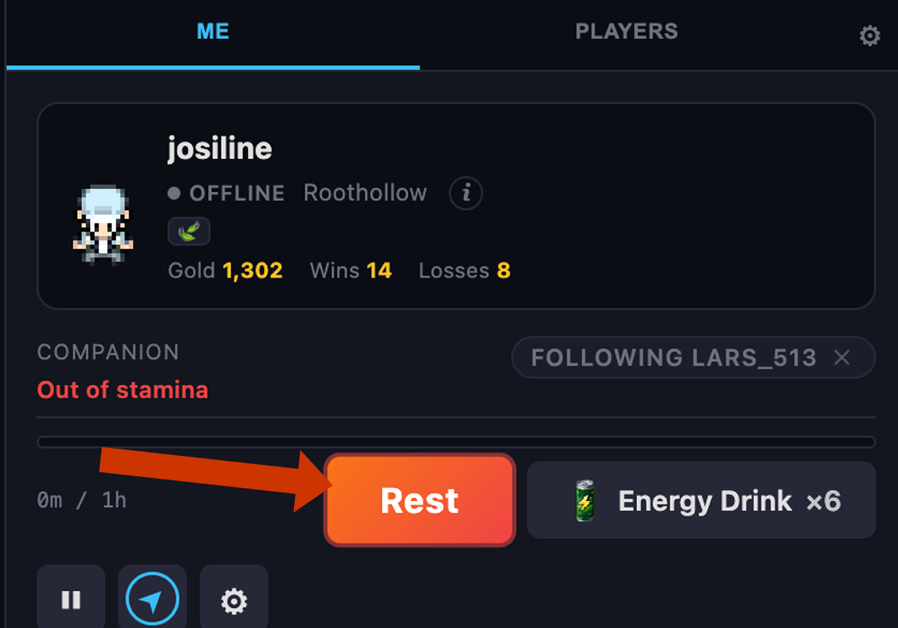
If your team is wiped out
If all your Chibitomo are defeated before you heal, your team is wiped out.
- Your companion will be teleported back to roothollow
You can also use a Super Revive to instantly restore your place on the map and heal all your Chibitomo.
Step 3Companion settings
Open the Settings menu using the gear icon in the top-right corner.
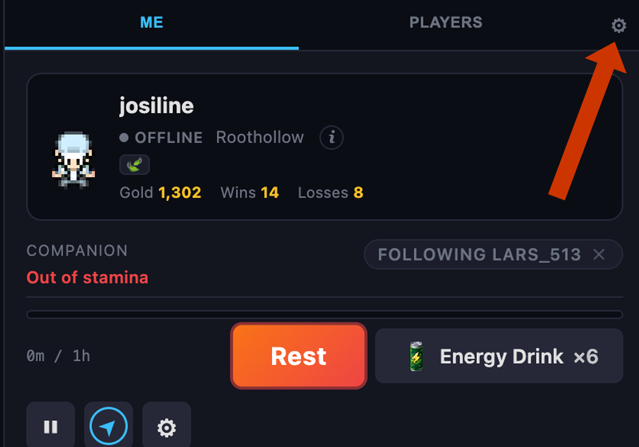
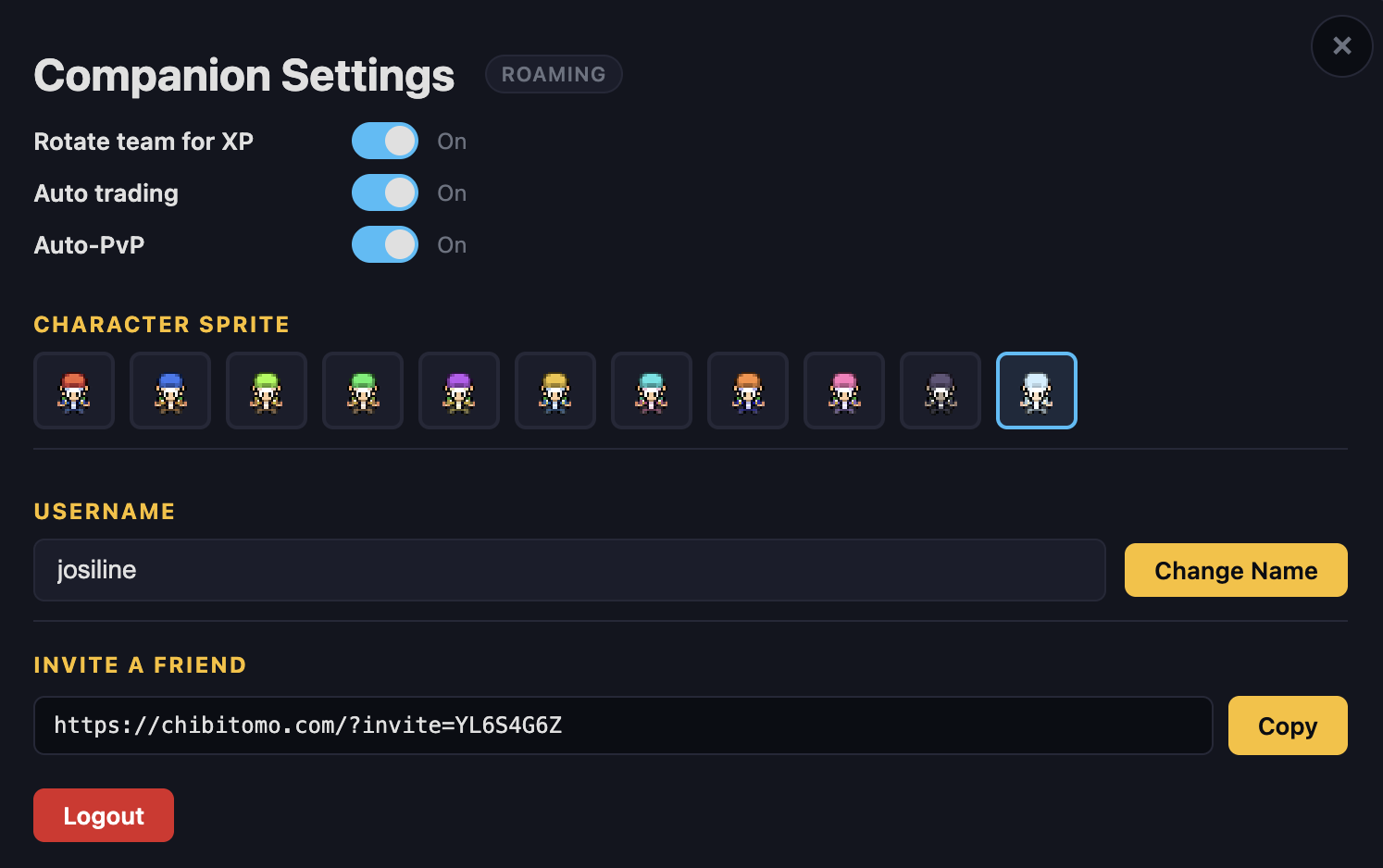
Rotate team for XP
- Your chibitomo rotate during battles
- XP is shared more evenly
Auto-PvP
- Your companion automatically accepts battles
- Battles happen automatically and you do not need to choose moves
- You must manually battle
- Other players cannot battle you while you are offline
Auto trading
- Your companion automatically trades with other players
- It tries to collect chibitomo you do not already own
- It also looks for stronger versions of your chibitomo
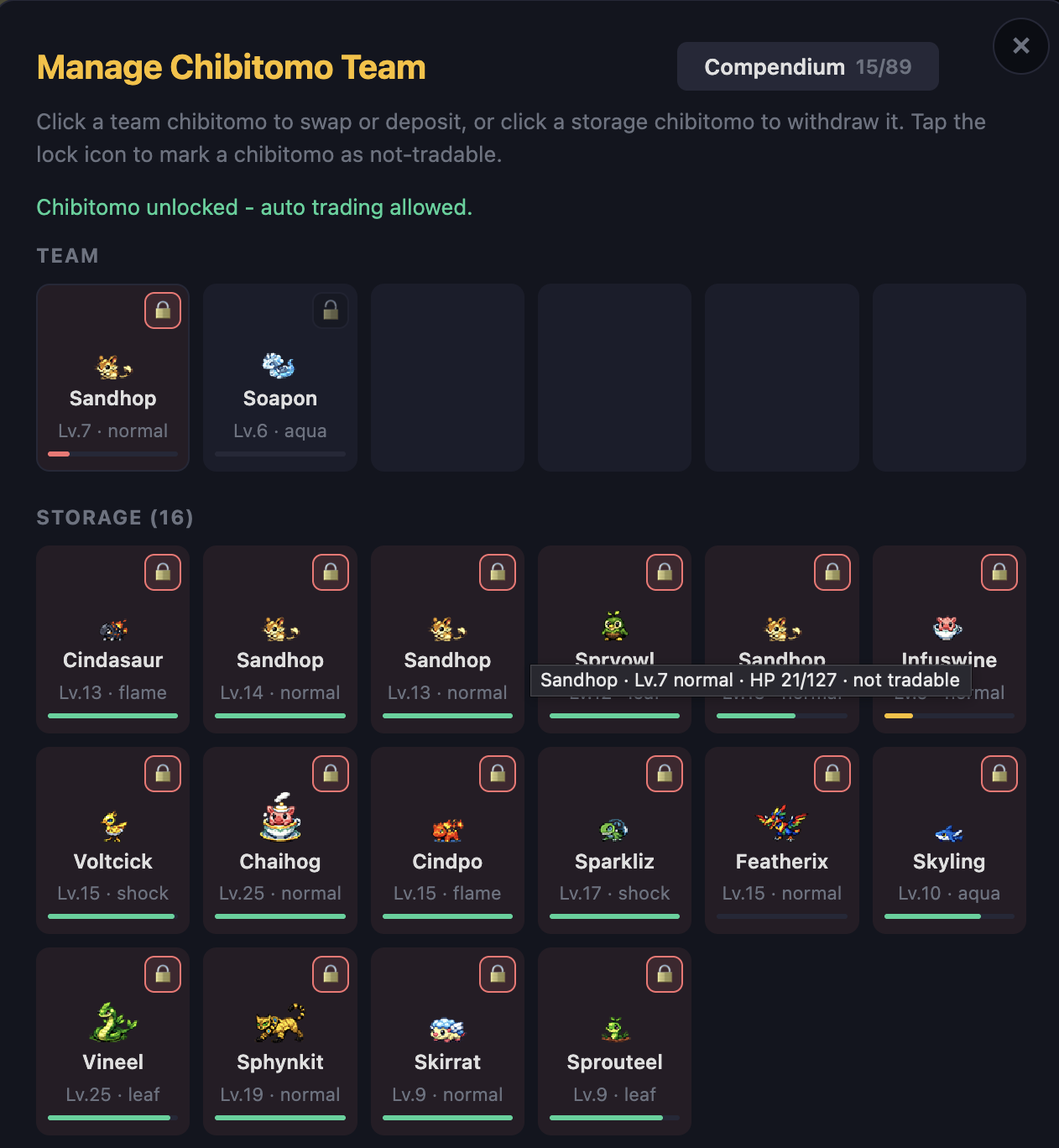
- You can choose which chibitomo to auto trade or not trade
Choosing chibitomo to auto-trade:
- Locked Chibitomo → cannot be traded
- Unlocked Chibitomo → can be traded
Auto-catch
- Your companion automatically throws a capsule at wild chibitomo it encounters
- You do not need to be online for it to try to catch
- Your companion will not throw capsules on its own
- You must catch chibitomo yourself
Max capsules per encounter
- Caps how many capsules Auto-catch will spend trying to catch a single chibitomo before giving up
- Raise or lower the limit in Companion settings
Auto-unlock duplicate chibitomo
- Duplicate chibitomo you already own are automatically unlocked
- Unlocked dupes are free to trade or auto-trade right away
- Duplicate chibitomo stay locked when caught
- You unlock each one yourself when you're ready to trade it
Dim out-of-band players
- Players outside your battle-level range appear dimmed on the map
- Makes it easier to spot players you can actually battle
- All nearby players appear at full brightness on the map
- Applies regardless of whether you can battle or trade with them
Step 4Companion traveling
Your companion travels the world of chibitomo automatically.
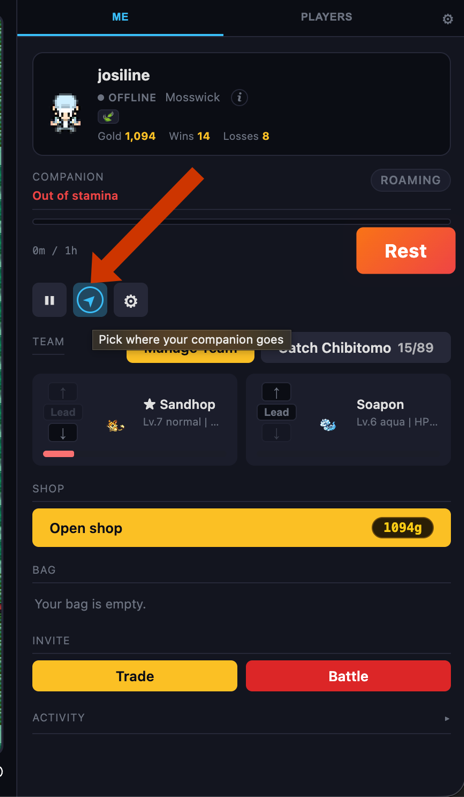
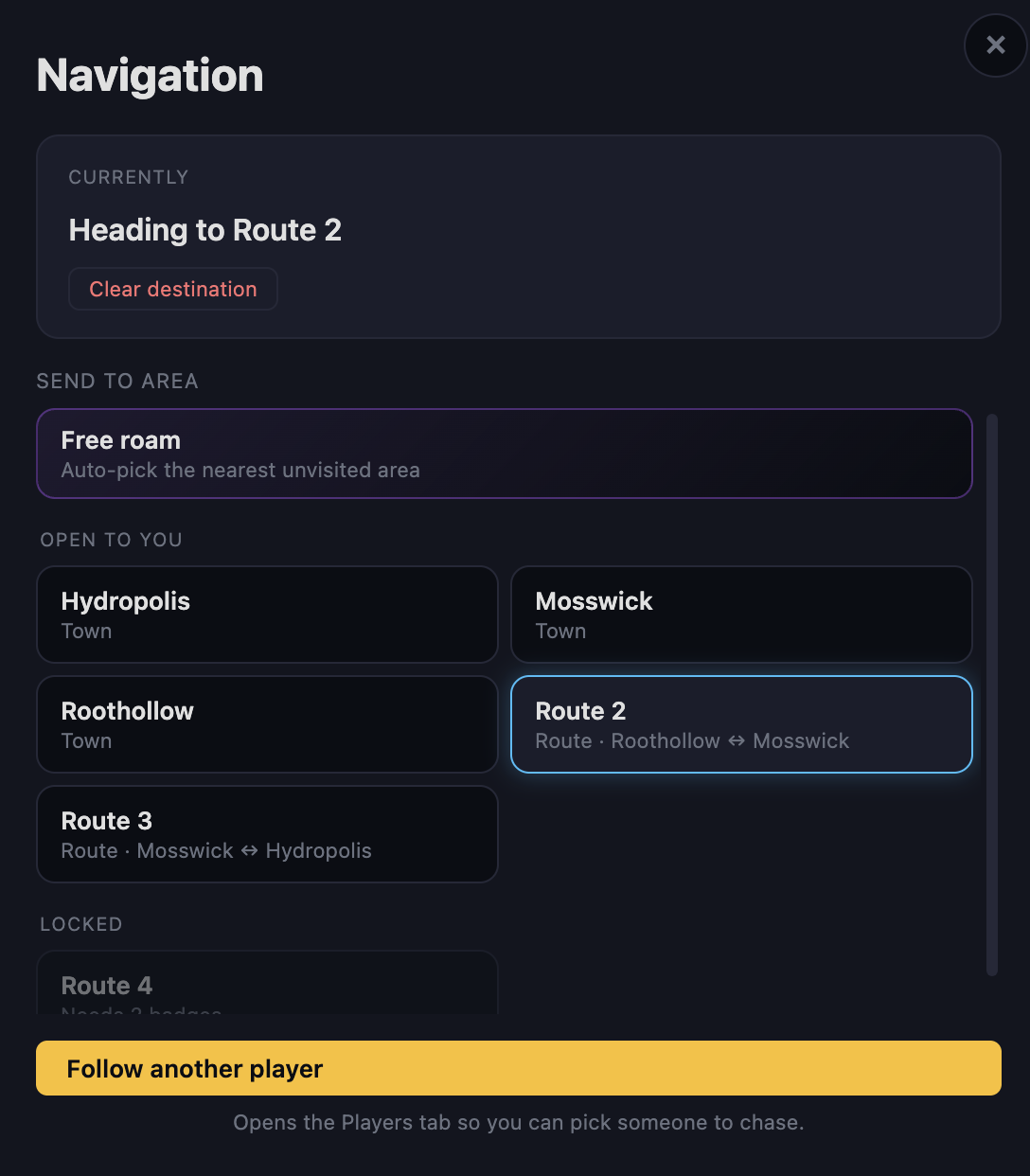
Choose a route
Tap the Compass icon to select where your companion should go.
Different routes contain:
- Different Chibitomo
- Different trainers
- Different challenges
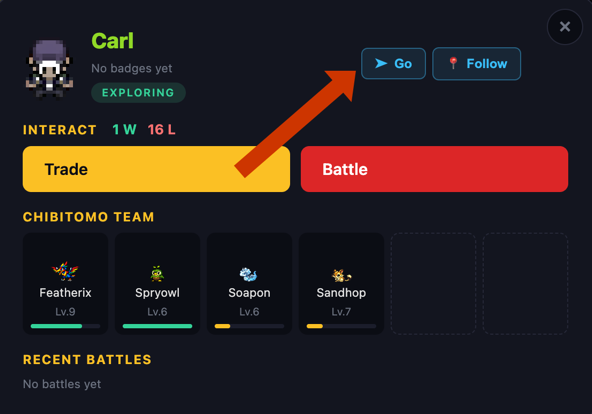
Go to another player
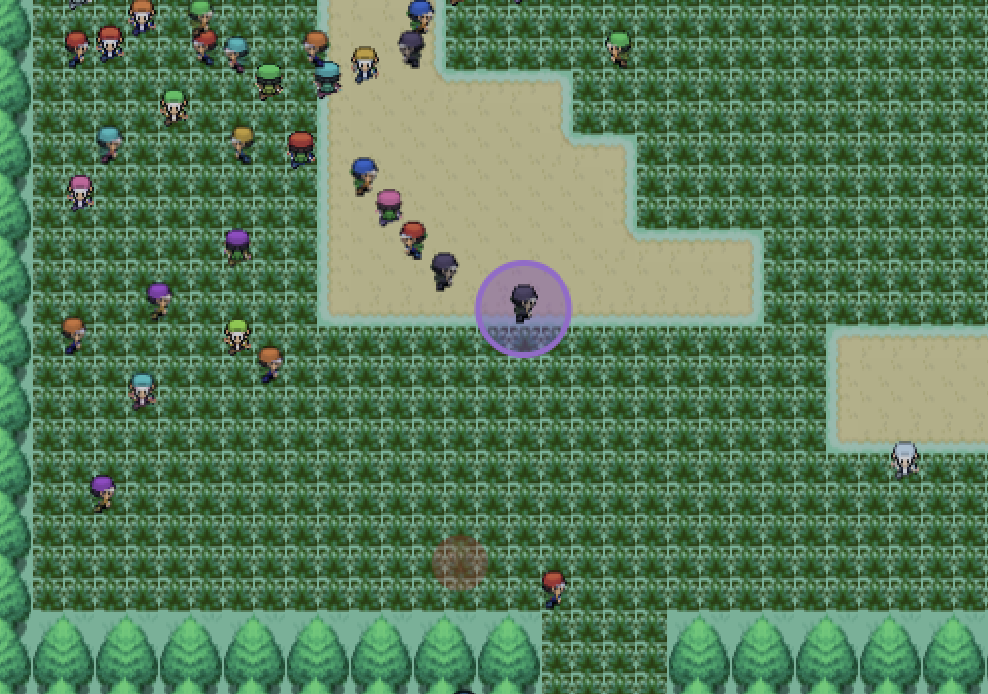
Tap the Go button in the top-right corner after tapping any other active player's companion on your screen. Your companion will travel directly to the player's companion that you select. The target player will appear highlighted in purple.
Step 5Battling other players
Tap nearby companions to challenge them.
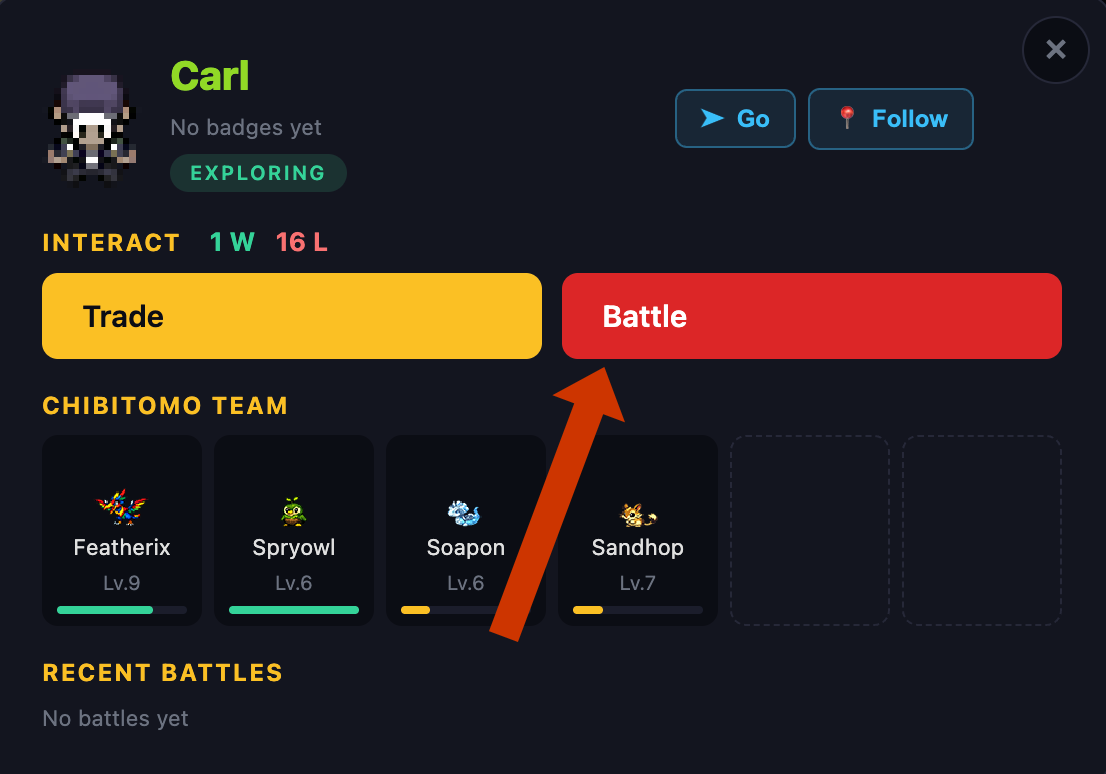
Battle requirements
You can only battle if:
-
You are close enough — You must be within
range of the other player's companion.
Use the Go feature first to get close.
-
Levels are similar — Battles are only allowed
if the highest-level chibitomo on each team are close in level. Your
battle level is based on your strongest Chibitomo in your current
party.
If you have a Level 15 Cindasaur and a Level 1 Hoparoo, your battle level is 15.
- Level 19 vs Level 16 → Allowed
- Level 20 vs Level 19 → Not Allowed
-
Auto-PvP Is Enabled — If the other player has
Auto-PvP turned OFF:
- Battle requests are automatically declined while they are offline
- If they are online, they can manually accept or reject the request
Step 6Trading with players
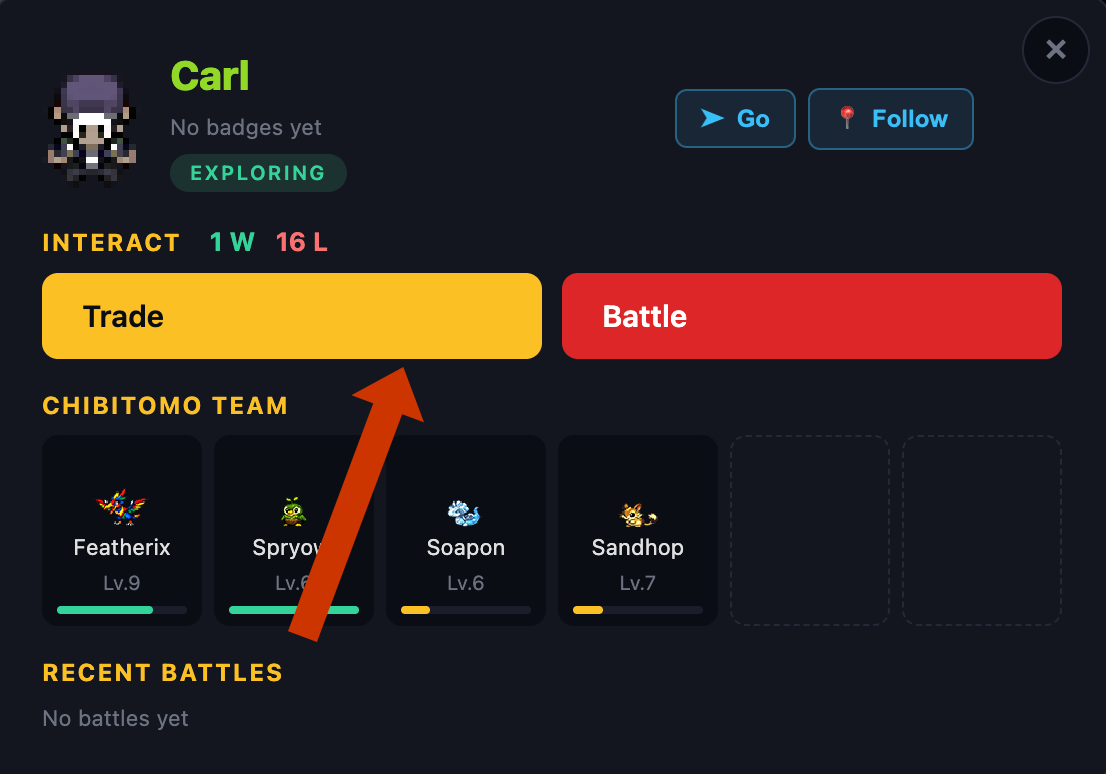
To trade:
- You must be close to the other player
- The other player's Auto trading must be enabled
- Their Chibitomo must not be locked
Otherwise, the trade will fail automatically. However, if the other player is online at the time of initiating the trade, they will receive the request and choose to accept or decline.
Step 7Trade links
Trade a chibitomo one-for-one with anyone through a shareable link. No need for both of you to be online at the same time.
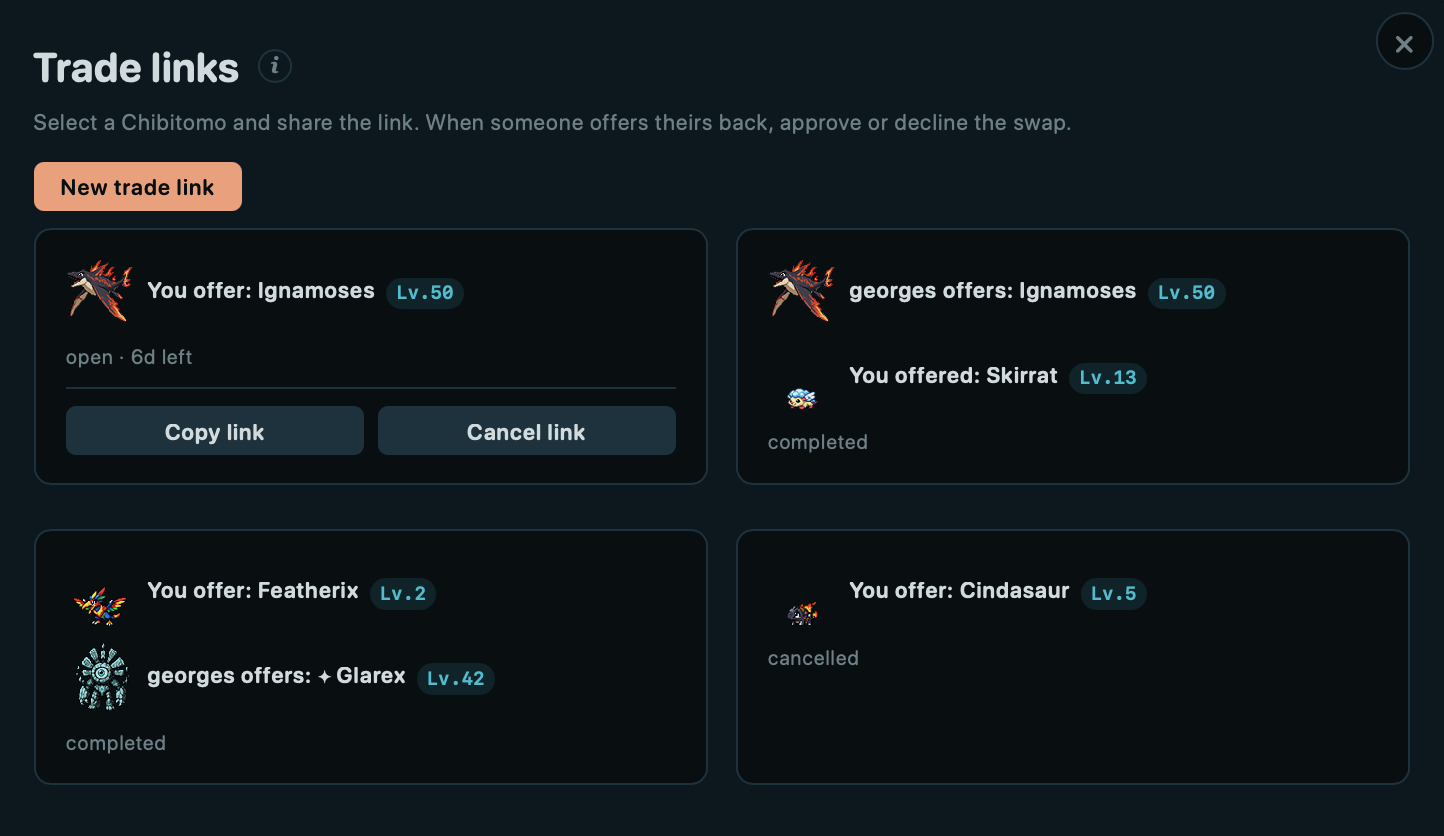
How it works
- Pick one of your chibitomo to put up for trade
- Copy the link and send it to another player
- Whoever opens it puts one of their own chibitomo up in return
Approve or decline
Once someone offers theirs back, review it and approve the swap or decline it. Both chibitomo are held safely until you decide.
Changed your mind?
If no one has offered yet, withdraw the link anytime to get your chibitomo back.
Step 8Auction house
The auction house trades shiny chibitomo only. Browse the active auctions, or list one of your own shinies for others to bid on.
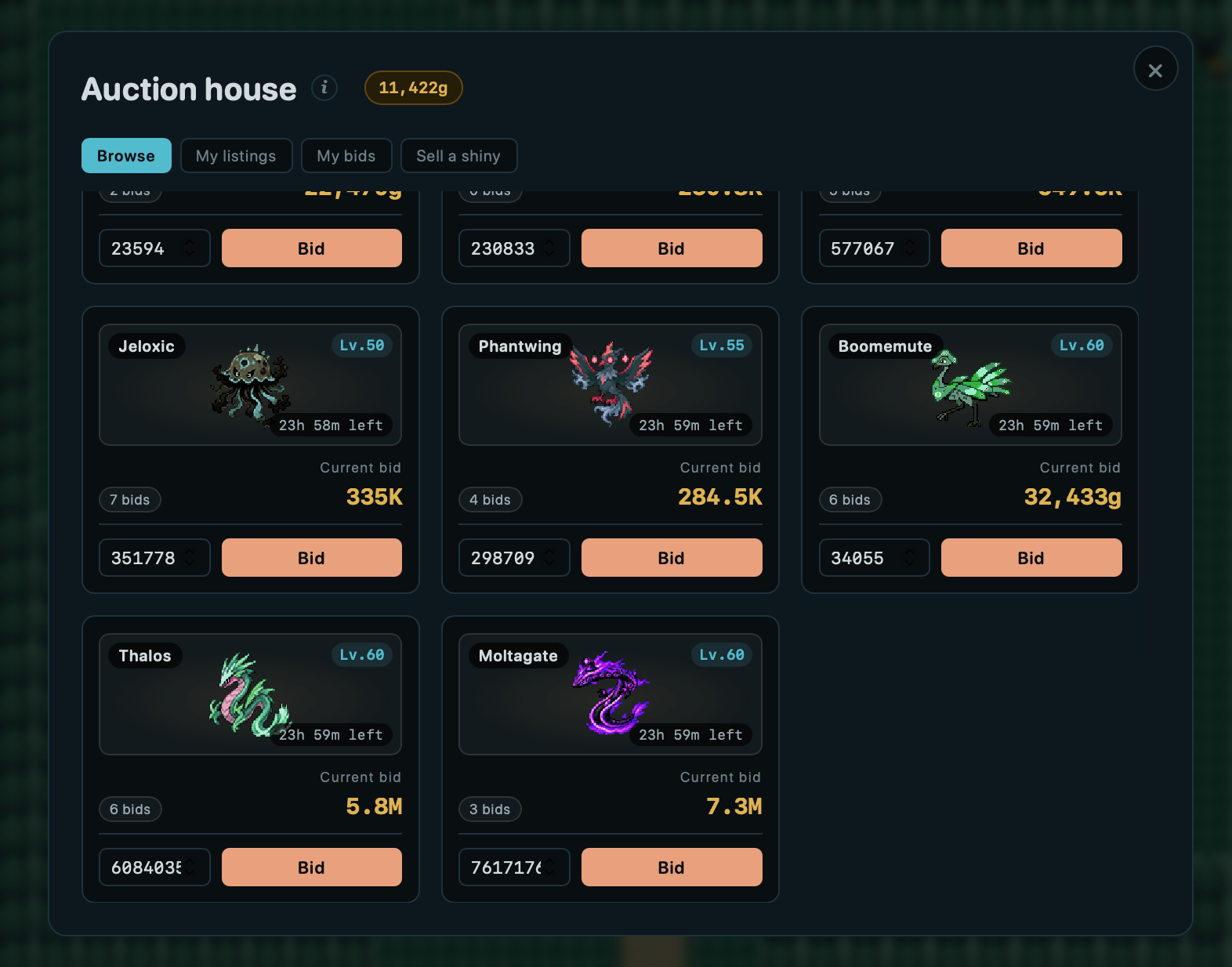
Bidding
Place a bid higher than the current top bid. When the auction's timer runs out, the highest bidder wins and the chibitomo is theirs.
Buyout
Some listings set a buyout price. Pay it to claim the chibitomo instantly and end the auction early.
Selling
List one of your shinies with a starting bid and an optional buyout. When it sells, the Chibux are yours. Manage or cancel your listings from your auctions tab.
Step 9Your garden
The garden is a space only you can edit. The chibitomo you keep here wander around and harvest items from the gardenware you've placed.
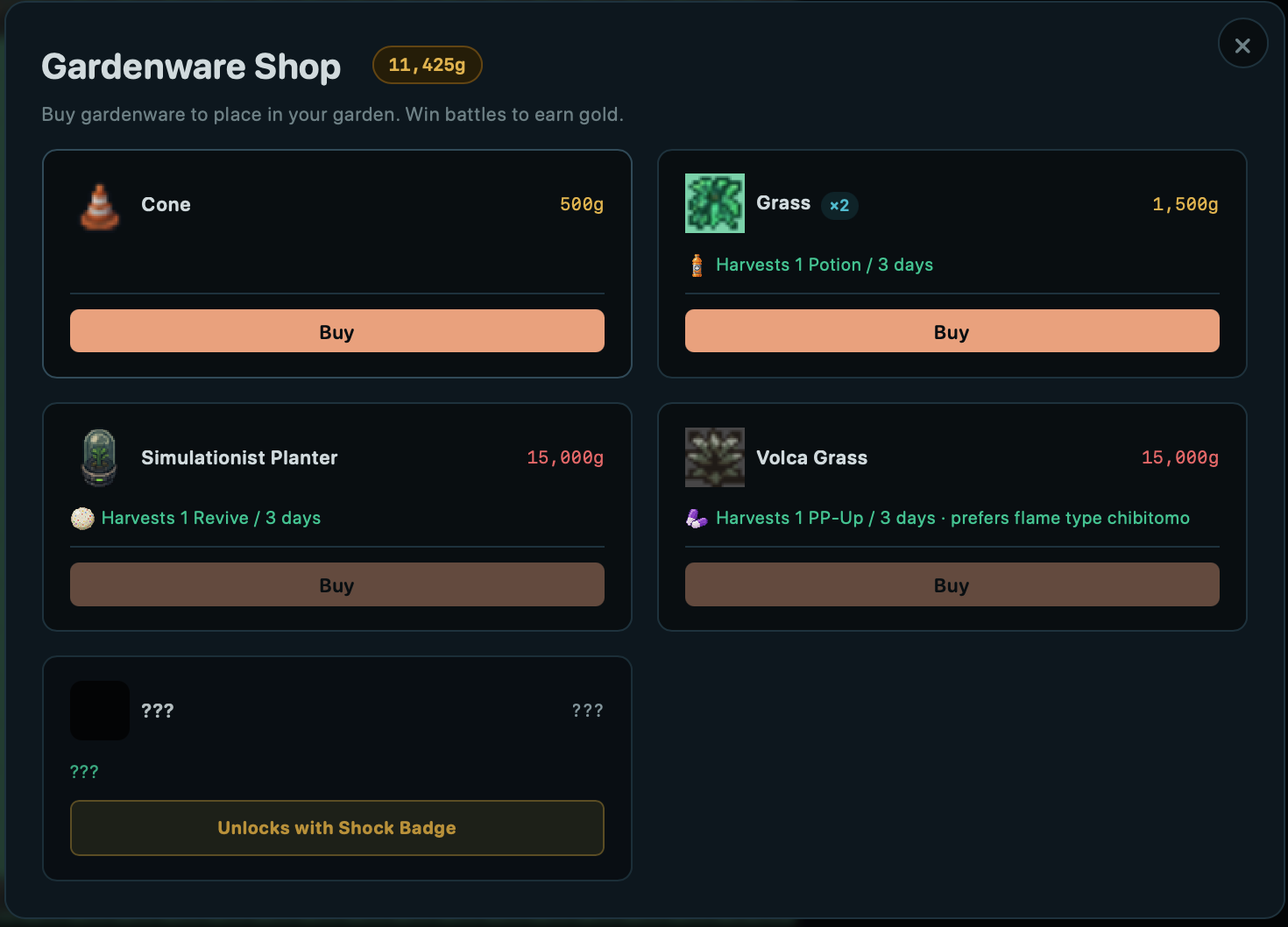
Gardenware
Decorative pieces bought in the Gardenware Shop and placed however you like. You keep everything you buy, so you can move, remove, or re-place it anytime.
Harvesting
Some gardenware produces items over real time. Your chibitomo are the harvesters: they share the work across your producing pieces, so the more you display, the more you can run at once.
- Higher-level chibitomo harvest faster
- A piece's preferred type or species harvests faster
- Shinies harvest faster too
Collecting
Items build up whether you're online or not (up to a week's worth). Collect them into your bag from the Garden Harvest panel in the sidebar.
Step 10Earn Chibux
You earn Chibux by winning battles.
- Stronger opponents usually give better rewards
- Use Chibux in the Shop to buy useful items
Step 11Shop items
Potions
Heal your Chibitomo during battles. Useful for difficult areas.
Claw Capsules
Used to catch new Chibitomo.
- Claw Capsules → Standard catch rate
- Grip Claws → Higher chance to catch Chibitomo
- Vise Claws → Even stronger and more reliable
Stronger claws are more effective, so you usually need fewer of them when exploring.
Revive
Fully heals one Chibitomo.
Super Revive
Instantly restores your team so you can continue playing right away without waiting.
Energy Drink
Instantly refreshes your companion's Energy without waiting an hour.
Step 12Unlock new areas
Defeat Gym leaders to unlock new routes and continue your adventure.
Explore stronger areas, find new chibitomo, and become a stronger trainer.