
Step 1Meet Your Companion
Your companion is a mini version of you that explores the world of Chibitomo.
You do not directly control your companion. Instead, your job is to:
- Keep their stamina full
- Help them battle, trade, and explore
- Manage their settings
Step 2Keep Your Companion Active
Refill Energy
Your companion needs Energy to keep moving.
- Energy refreshes every hour by clicking Rest
- Refill it regularly so your companion can continue exploring and battling
You can also use an Energy Drink to instantly refresh Energy without waiting.
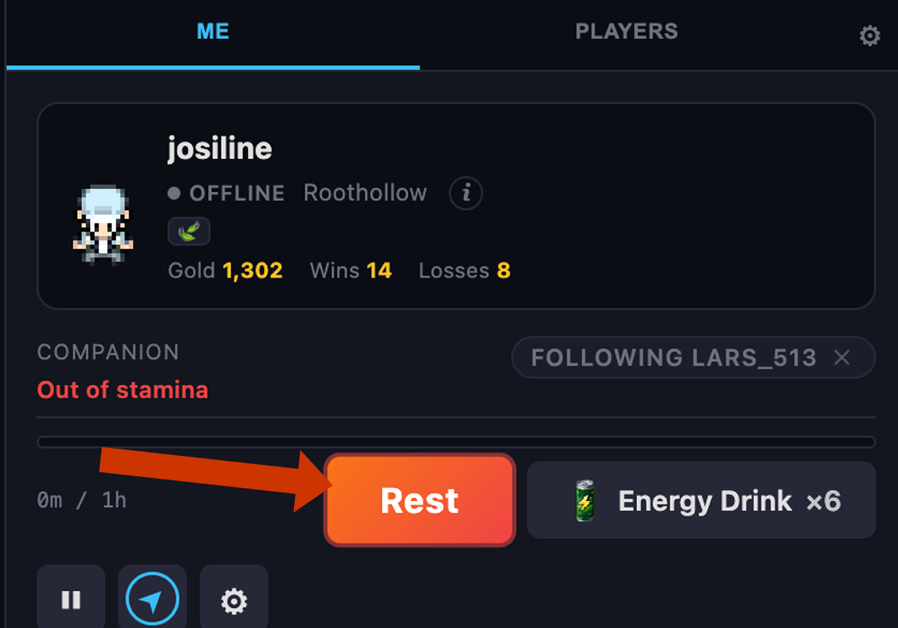
If Your Team is Wiped Out
If all your Chibitomo are defeated before you heal, your team is wiped out.
- Your companion stops exploring
- You must wait some time before you can restore Energy and continue playing
You can also use a Super Revive to instantly restore your team without waiting.
Step 3Companion Settings
Open the Settings menu using the gear icon in the top-right corner.
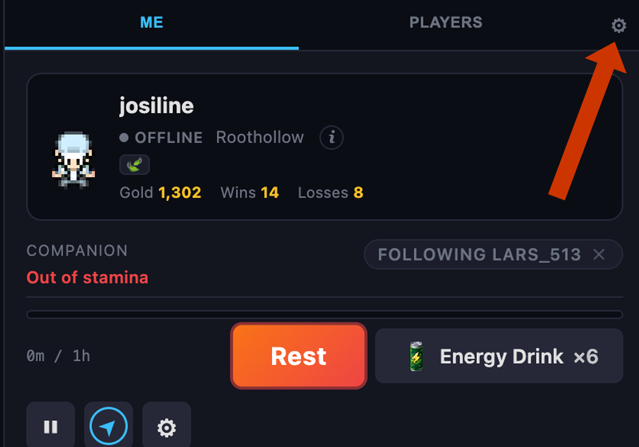
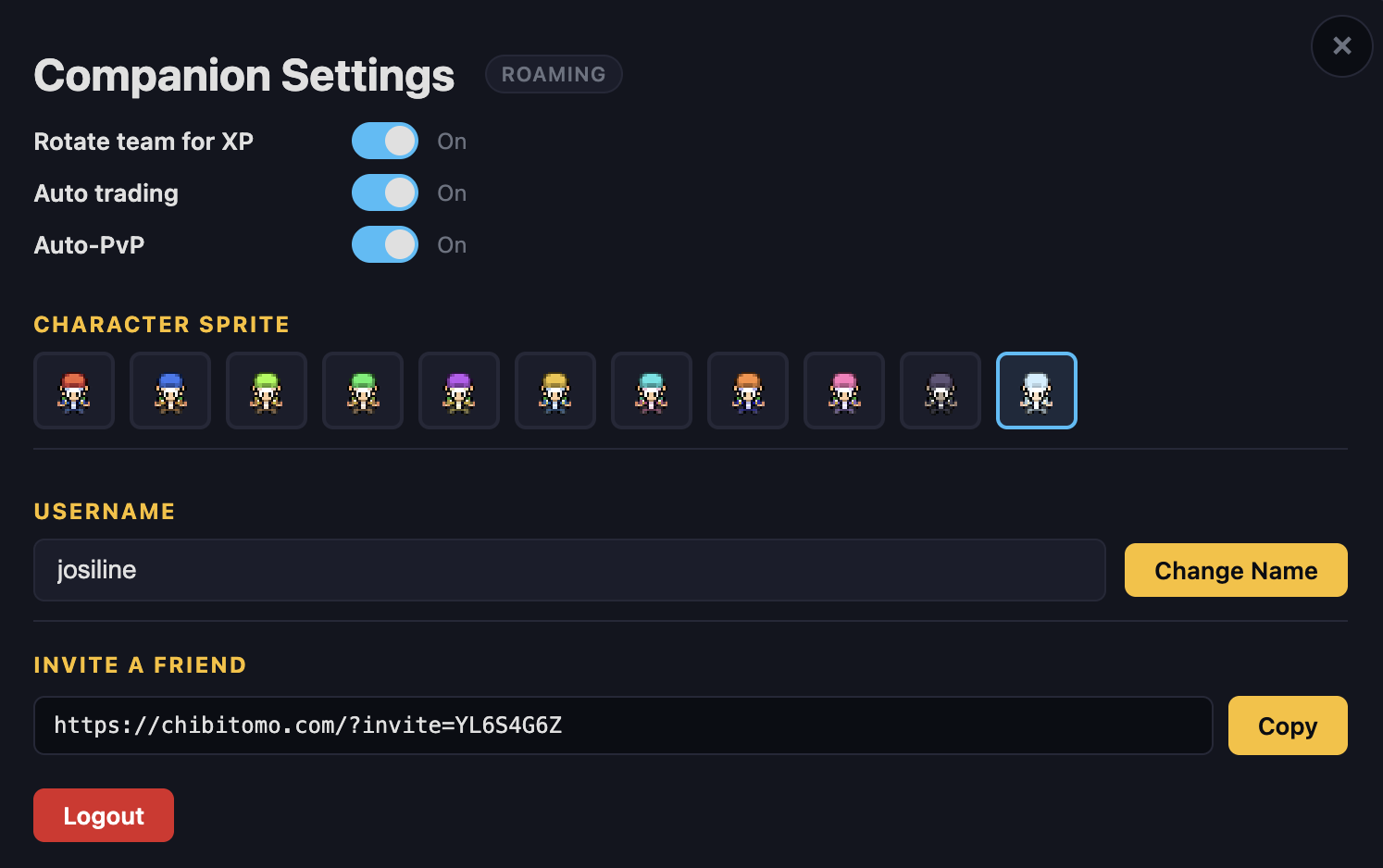
Rotate Team for XP
- Your chibitomo rotate during battles
- XP is shared more evenly
Auto-PVP
- Your companion automatically accepts battles
- Battles happen automatically and you do not need to choose moves
- You must manually battle
- Other players cannot battle you while you are offline
Auto-Trading
- Your companion automatically trades with other players
- It tries to collect chibitomo you do not already own
- It also looks for stronger versions of your chibitomo
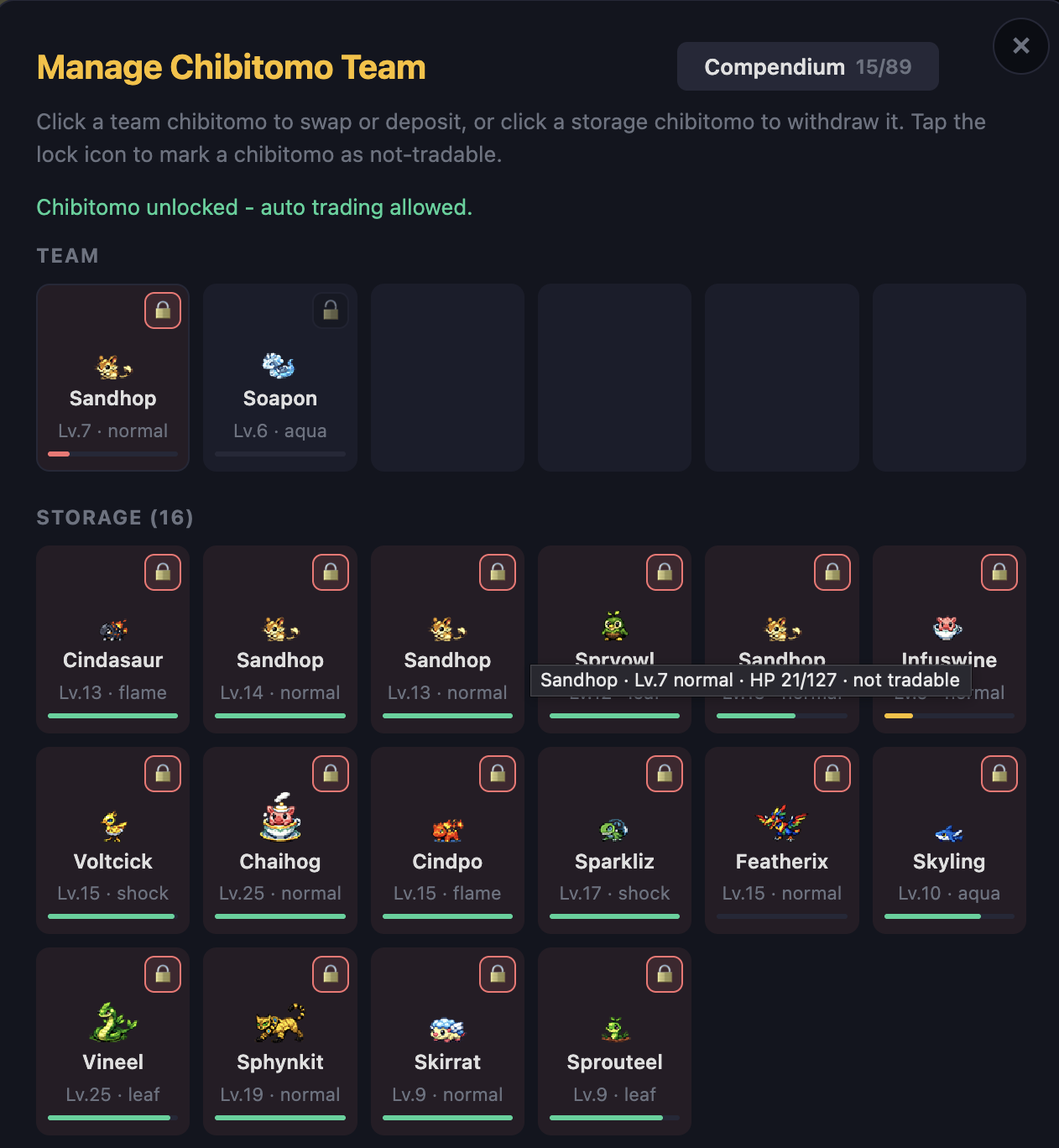
- You can choose which chibitomo to auto trade or not trade
Choosing chibitomo to auto-trade:
- Locked Chibitomo → cannot be traded
- Unlocked Chibitomo → can be traded
Step 4Companion Traveling
Your companion travels the world of chibitomo automatically.
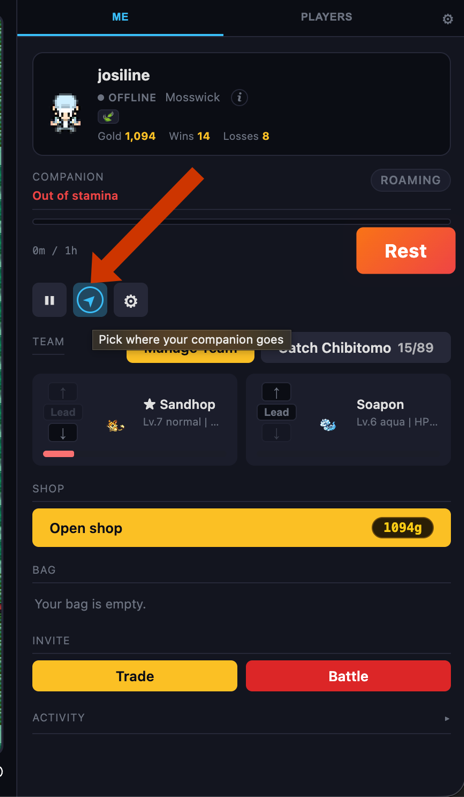
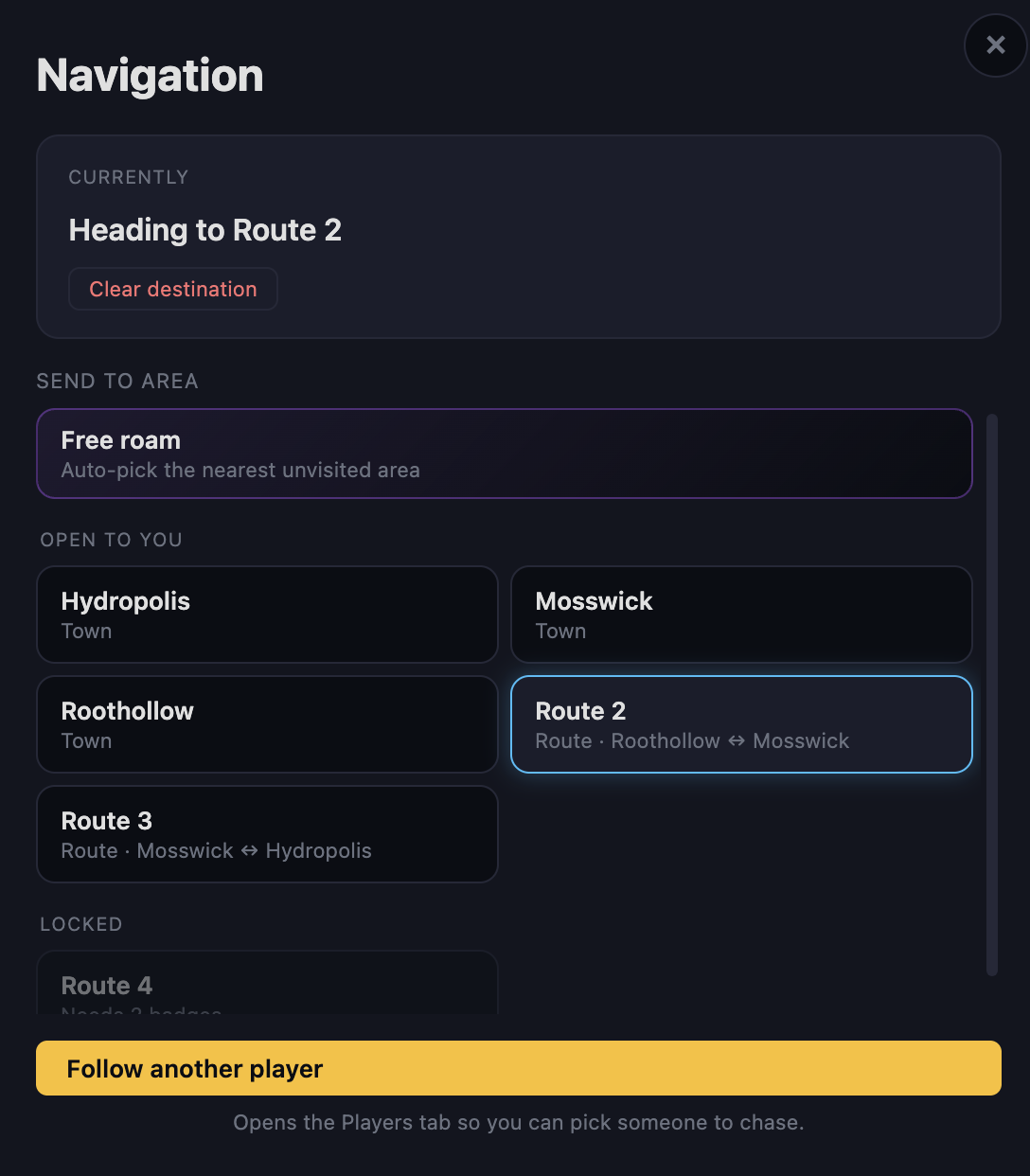
Choose a Route
Tap the Compass Icon to select where your companion should go.
Different routes contain:
- Different Chibitomo
- Different trainers
- Different challenges
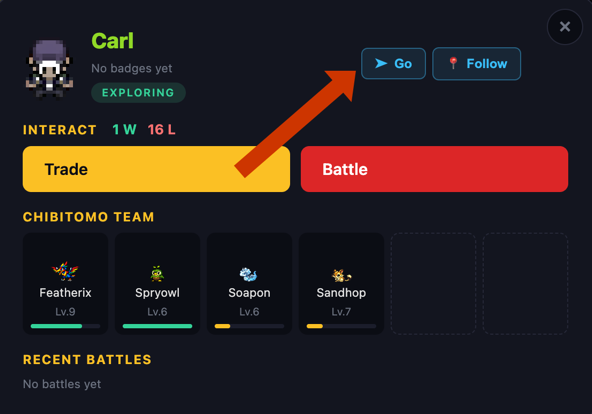
Go To Another Player
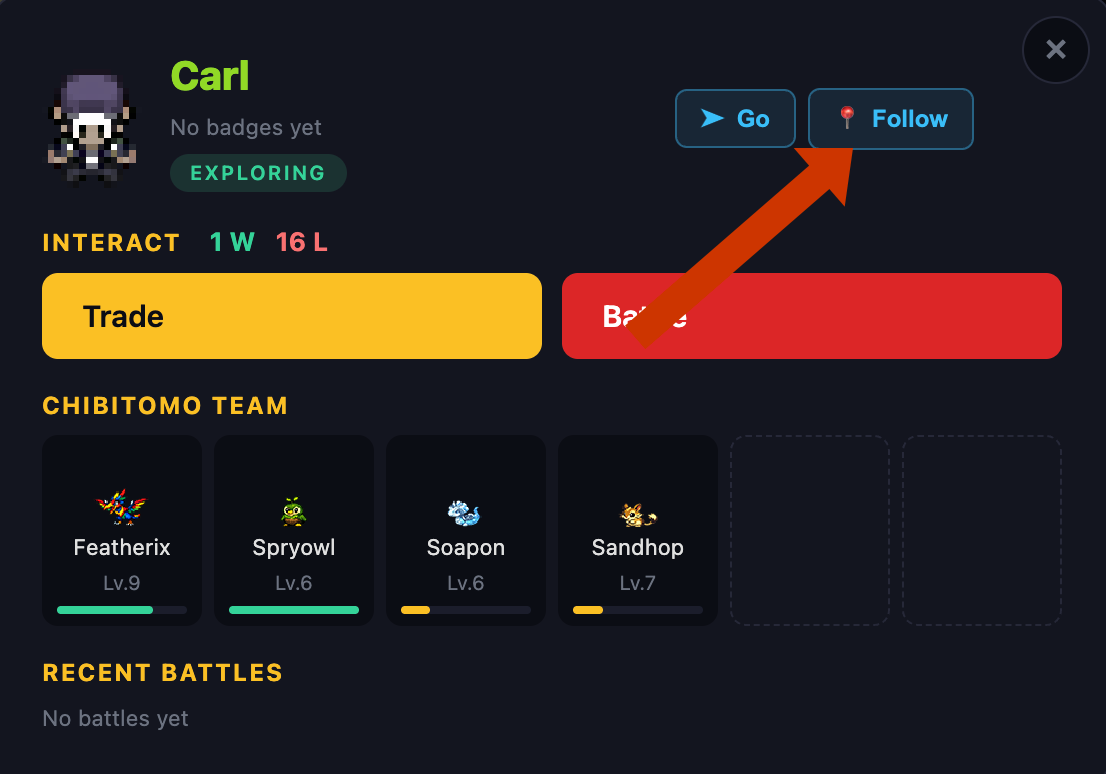
Tap the Go button in the top-right corner after tapping any other active player's companion on your screen. Your companion will travel directly to the player's companion that you select. The target player will appear highlighted in purple.
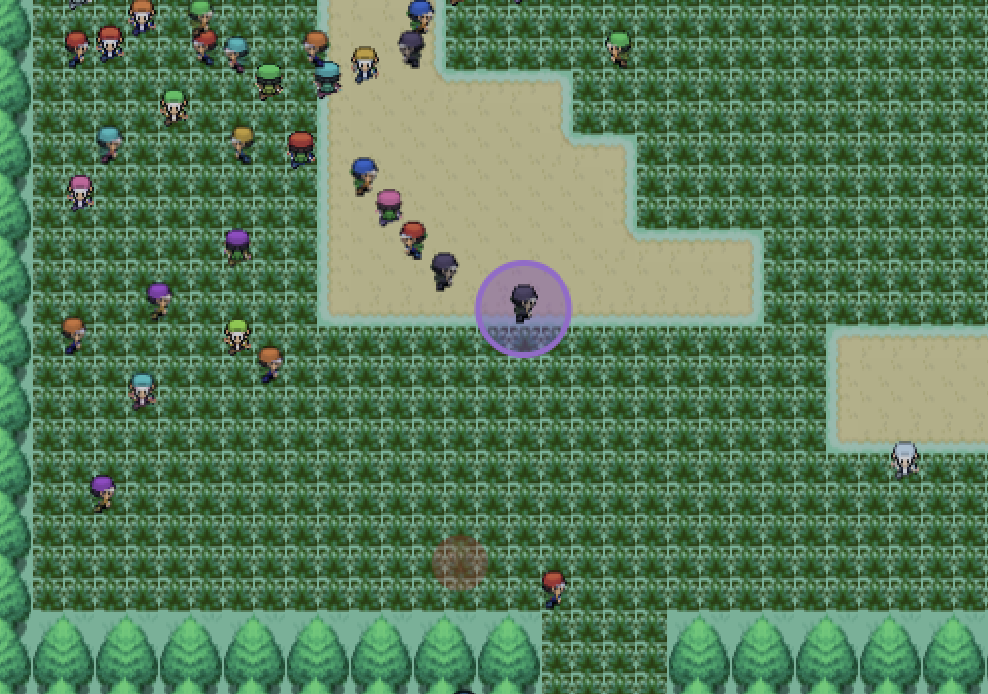
Follow Another Player
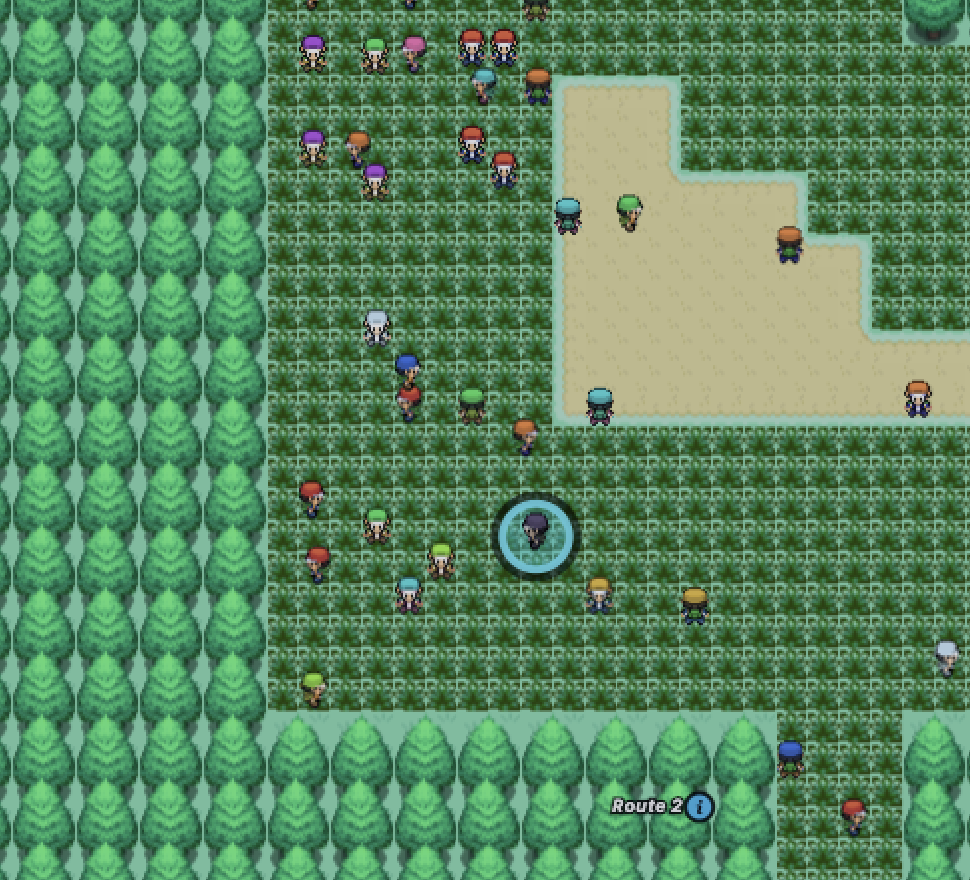
The Follow feature lets you watch another player.
- A blue ring appears around their companion
- Your companion does NOT move toward them
- Following is only for observing
Step 5Battling Other Players
Tap nearby companions to challenge them.
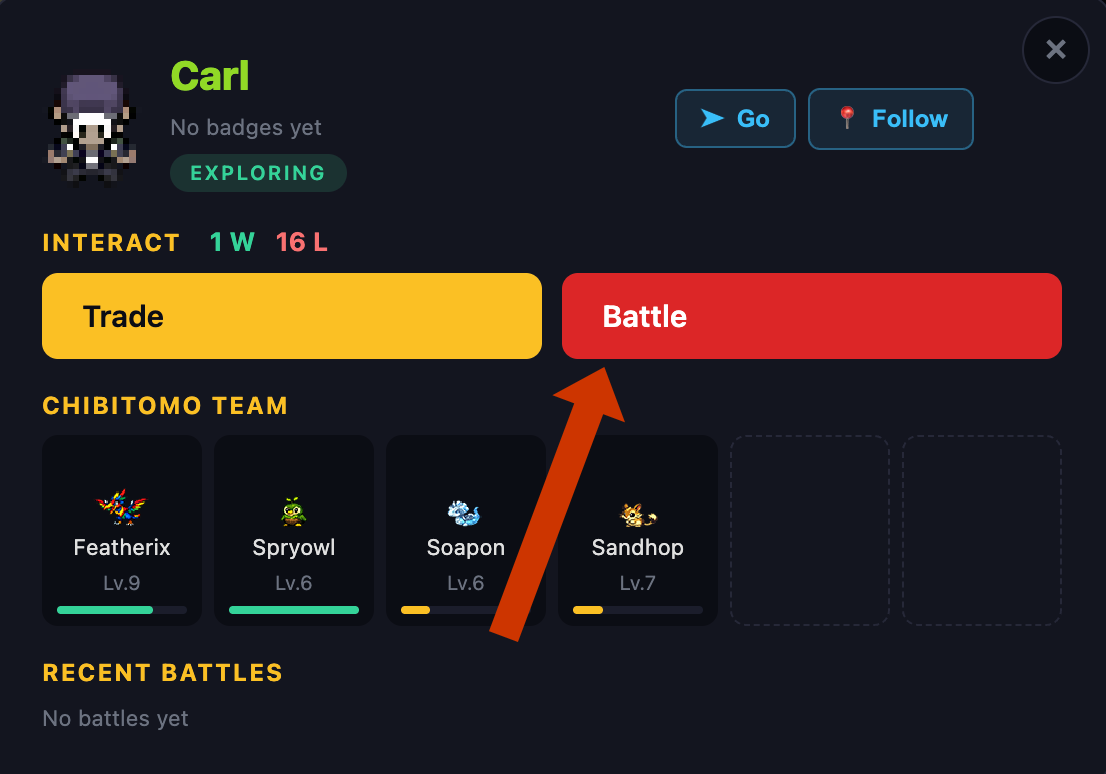
Battle Requirements
You can only battle if:
-
You Are Close Enough — You must be within
range of the other player's companion.
Use the Go feature first to get close.
-
Levels Are Similar — Battles are only allowed
if the highest-level chibitomo on each team are close in level. Your
battle level is based on your strongest Chibitomo in your current
party.
If you have a Level 15 Cindasaur and a Level 1 Hoparoo, your battle level is 15.
- Level 19 vs Level 16 → Allowed
- Level 20 vs Level 19 → Not Allowed
-
Auto-PVP Is Enabled — If the other player has
Auto-PVP turned OFF:
- Battle requests are automatically declined while they are offline
- If they are online, they can manually accept or reject the request
Step 6Trading With Players
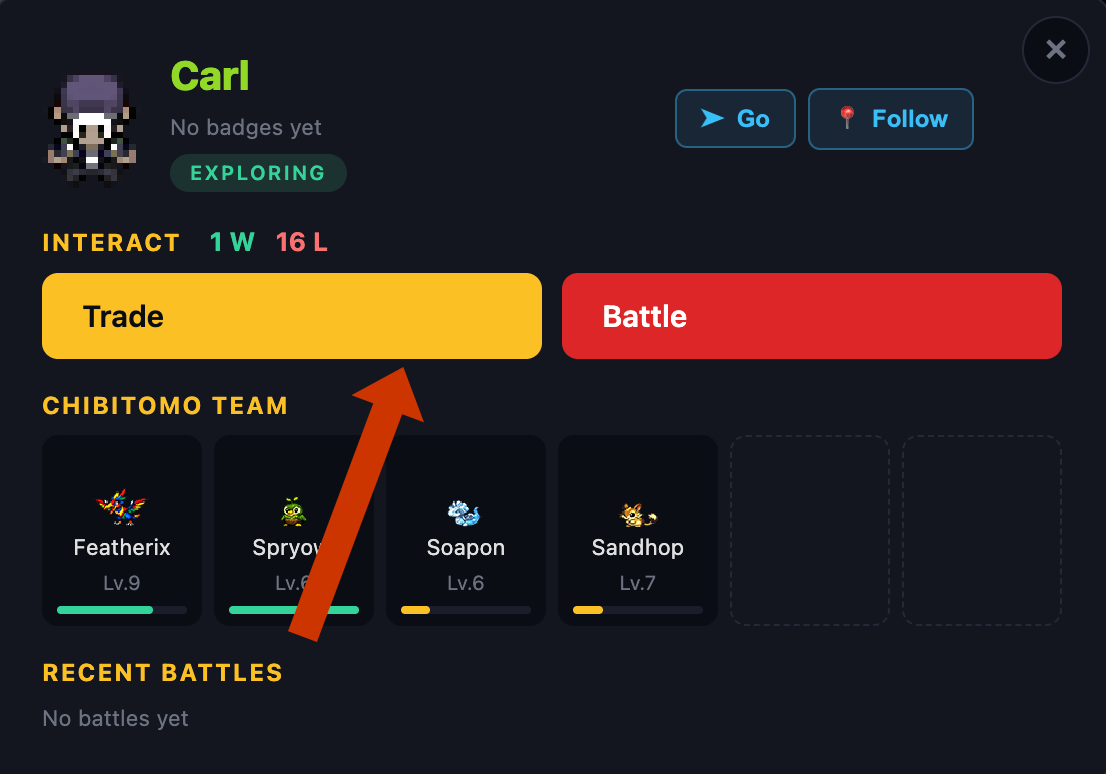
To trade:
- You must be close to the other player
- The other player's Auto-Trading must be enabled
- Their Chibitomo must not be locked
Otherwise, the trade will fail automatically. However, if the other player is online at the time of initiating the trade, they will receive the request and choose to accept or decline.
Step 7Earn Coins
You earn Coins by winning battles.
- Stronger opponents usually give better rewards
- Use Coins in the Shop to buy useful items
Step 8Shop Items
Potions
Heal your Chibitomo during battles. Useful for difficult areas.
Claw Capsules
Used to catch new Chibitomo.
- Claw Capsules → Standard catch rate
- Grip Claws → Higher chance to catch Chibitomo
- Vise Claws → Even stronger and more reliable
Stronger claws are more effective, so you usually need fewer of them when exploring.
Revive
Fully heals one Chibitomo.
Super Revive
Instantly restores your team so you can continue playing right away without waiting.
Energy Drink
Instantly refreshes your companion's Energy without waiting an hour.
Step 9Unlock New Areas
Defeat Gym Leaders to unlock new routes and continue your adventure.
Explore stronger areas, find new chibitomo, and become a stronger trainer.